For in-house recruiters

Software for in-house recruiters

Hiring for your own company, without five separate tools.

Your careers page, applicants, interviews, the contract and the first day: all in one place, so no applicant is left without an answer.

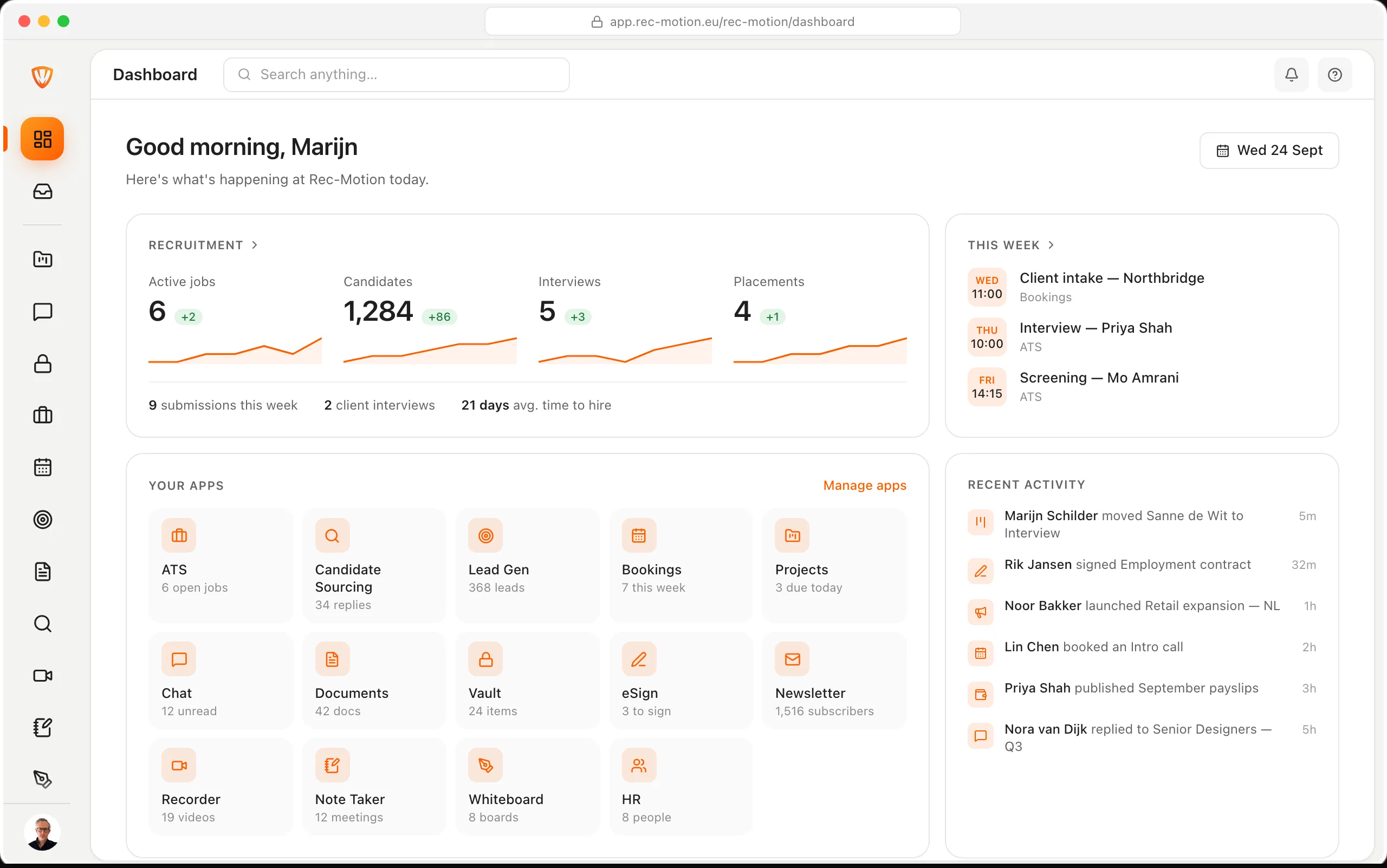
app.rec-motion.eu/rec-motion
Now: Your role on your own careers page.

How it all fits together

5 stages, the apps in each and what they hand to each other.

Stage 1 / 5 · Post the role

Your role on your own careers page.

Create the role in the ATS and put it on your job board in one click, in your own style. The application form asks for consent and links to your own privacy notice.

  • Job board → ATS · An application lands straight in the role's pipeline

Stage 2 / 5 · Review applicants

Every applicant hears back.

You set your own stages per role. Link an email to a stage and every applicant who enters it hears from you automatically.

  • ATS · A stage sends its own email to the applicant

Stage 3 / 5 · Interviews

Interviews without the email back-and-forth.

The applicant picks a time themselves. NoteTaker writes up the conversation, with a summary and action items.

  • ATS → Bookings · A booking creates the interview, moves the stage and attaches the scorecard
  • Bookings ↔ ATS · Cancelling and completing stay in sync on both sides
  • NoteTaker → ATS · Interview notes on the candidate profileComing soon

Stage 4 / 5 · The contract

The contract signed the same day.

Send the employment contract through eSign. You see who still has to sign and send a reminder in one click.

  • eSign · Every signer tracked, with reminders
  • ATS → eSign · Send a contract from the candidateNot connected yet

Stage 5 / 5 · The first day

The first day is already sorted.

Start onboarding in HR from a template: tick off tasks, upload documents, assign a laptop and get papers signed.

  • HR → eSign · A signing task in onboarding opens eSign
  • ATS → HR · A hired candidate becomes an employee in HR by itselfNot connected yet

One role, start to finish

From open role to first day

Follow how Noor, recruiter at Vantage Retail, hires a Finance Lead. Every step happens in the same workspace.

  1. 01 / 6

    The role goes on the careers page

    Noor creates the role and puts it on Vantage's job board in one click.

    ATS
  2. 02 / 6

    Applications land in the pipeline

    Priya applies through the form and lands in the first stage straight away, with her CV. The stage email confirms her application arrived.

    ATS
  3. 03 / 6

    The interview books itself

    Priya picks Thursday 10:00 for a talk with Eva, the hiring manager. The interview, stage move and scorecard follow.

    Bookings
  4. 04 / 6

    The conversation writes itself up

    NoteTaker summarises the interview, with action items and owners.

    NoteTaker
  5. 05 / 6

    Contract signed

    The employment contract goes out through eSign and comes back signed by Priya and Eva.

    eSign
  6. 06 / 6

    Onboarding is ready

    Noor adds Priya in HR and starts onboarding from the new-joiner template: laptop assigned, first week planned.

    HR

Build your package

Pick your apps. See your price.

With two or more apps, the whole package is 20% off, the same as our bundles.

Get started

Plan

Billing

Apps selected

01Post the role

03Interviews

04The contract

05The first day

Launch prices (25% off), excl. VAT. Per-seat apps count per users; HR is priced per workspace, with seats included and extra seats when your team is larger. Yearly = 10 months up front.

Request this package

We'll set it up with you in one call. Book a demo or email us your package.

Guides

Get going, step by step

The first guides will appear here soon.

Frequently asked questions

Does every role need a client?

No. Linking a client is optional; for roles in your own company you leave that field empty.

Do we get our own careers page?

Yes. Your job board gets your own style and you put each role on it or take it off in one click. The application form asks for consent and links to your own privacy notice.

Can hiring managers follow along?

Yes. You give them a role, and per app you decide what that role can see and do.

Does a new hire become an employee in HR by itself?

Not yet. You add the new colleague in HR yourself and start onboarding there.

Rec-Motion

All your work, all your people, one workspace

Get started
The Rec-Motion dashboard

Book a demo

Loading calendar…