ATS

From open role to placement, in one pipeline.

Roles, clients, candidates, submissions, interviews and placements β€” everything you track in spreadsheets and loose emails today, in one place.

Click through the tabs β€” this is the real layout

app.rec-motion.eu/rec-motion/ats/finance-lead/pipeline
Pipeline
New job

Finance Lead

Vantage Retailopen

12 active Β· 14 total Β· 1 opening

Add candidate Job settings
Sourcing3
LCLin Chen

Controller Β· Deloitte

JSJoris Smit

Finance Manager Β· ING

EMEva Mulder

FP&A Lead Β· Adyen

Application2
SDSanne de Wit

Finance Manager Β· KPMG

Strong fit
TBTom Bakker

Controller Β· Philips

Screening2
MAMo Amrani

Head of Finance Β· Bol

YBYara Bos

Finance Lead Β· Mollie

Interview1
PSPriya Shah

Finance Manager Β· Ahold

Thu 10:00
Offer1
EPEls Peters

Controller Β· Randstad

Sent
Hired1
RJRik Jansen

Finance Lead Β· Heineken

Placed

From open role to placement

How a hire moves through the ATS β€” tab by tab.

01 Jobs Β· Job Board

Open a role and publish it

Every hire starts with a role. Create it, link it to a client and put it on your own job board in one click.

  • Roles with client, location, type and number of openings
  • Your own branded job board, linked from your website
  • Applications land straight in that role's pipeline
  • Choose the order roles appear on your job board

02 Clients

Keep every client in one place

Clients, their contacts and all their open roles in one place β€” so you always know what's running for whom.

  • Client profile with contacts and open roles
  • Placements and fees per client
  • Go from a client straight to a new role

03 Candidate Database

One searchable candidate database

Everyone you've ever spoken to, in one place. Upload a CV or pull in a LinkedIn profile and the fields are filled in for you.

  • CV upload with details read out automatically
  • Enrich LinkedIn profiles via the browser extension
  • Search and filter by role, location, salary and experience
  • Duplicate candidates are recognised

04 Pipeline

Move candidates through your pipeline

A kanban board per role. Drag a candidate to the next stage and let the follow-up happen on its own.

  • Your own stages per role, with full stage history
  • Automatic emails when a candidate reaches a stage
  • Email templates with candidate and job variables
  • Notes and evaluations on every candidate

05 Submissions

Submit candidates to your client

Send a shortlist to your client through a secure link. They review it without an account, and you see their decision instantly.

  • Client portal with no account or login
  • Your own decision options per client
  • Every submission and response on one timeline

06 Interviews

Schedule and score interviews

Let candidates pick a time themselves and capture the evaluation in a scorecard β€” tied to the right role.

  • Booking links from Bookings, sent automatically
  • Scorecards for structured feedback
  • Interview status stays in sync with the booking

07 Placements

Record the placement

Hired? Record the start date and fee the moment it's done, so nothing falls through the cracks.

  • Start date, client and fee per placement
  • Shows up on the client and candidate automatically
  • Feeds straight into your reporting

08 Reporting

See how your agency performs

Open roles, submissions, interviews and placements in one view β€” without maintaining spreadsheets.

  • Key numbers across all your roles
  • Per recruiter and per client
  • Always current, straight from the pipeline

Ready to run your pipeline in one place?

Turn on the ATS and start today.

The ATS works with the rest of your work

No integrations to maintain β€” everything lives in the same workspace.

ATS Candidate Sourcing

From search to conversation β€” without the busywork

The problem: Sourcing usually lives in separate tools. Who replied, who accepted, which stage are they in? You end up tracking it by hand.

How it works

  1. 1Search for candidates and save them to a table
  2. 2Add them to a role's pipeline in one click
  3. 3Start a LinkedIn and email campaign
  4. 4Invite accepted or reply received? The candidate moves on to the stage you choose, automatically

Every invite, reply and stage change is on the candidate's application timeline.

ATS Bookings

Interviews schedule themselves

The problem: Booking one interview easily takes five emails back and forth β€” and then you still have to log it in the ATS.

How it works

  1. 1Link an event type to a stage in your pipeline
  2. 2A candidate reaches that stage: an invite with a booking link goes out automatically
  3. 3The candidate picks a time from your availability
  4. 4The interview appears on the application right away

The meeting, attendees and status sit on the candidate and the role.

ATS Calendar

One calendar, always in sync with the ATS

The problem: Rescheduled or cancelled interviews quickly drift out of sync with your pipeline, and your overview stops being right.

How it works

  1. 1Every interview and meeting sits in one team calendar
  2. 2The candidate reschedules, or you cancel? The booking updates
  3. 3The interview status in the ATS changes with it
  4. 4Your team always sees the current schedule

Scheduled, moved, completed or no-show β€” it's recorded on the interview.

ATS RecorderComing soon

Recordings and summaries on the interview

The problem: After an interview your team wants to know how it went, but the notes are scattered or missing.

How it works

  1. 1Record the interview
  2. 2The recording and summary land on the candidate
  3. 3Your team reads the key points without having to ask

Coming soon.

One workspace. Nothing to copy across.

Turn on the ATS and add the other apps whenever you need them.

ATS: simple pricing, no surprises

Start small, turn apps on as you need them.

Basic

For one recruiter or a small agency.

€99/ month, excl. VAT

  • Roles, clients and candidates
  • Pipeline per role
  • Your own job board
  • Up to 3 users
Get started
Recommended

Pro

For agencies with several recruiters and clients.

€249/ month, excl. VAT

  • Everything in Basic
  • Submissions via client portal
  • Interviews and scorecards
  • Automatic emails per stage
  • Reporting
  • Up to 15 users
Get started

Custom

For larger agencies with their own needs.

On request

  • Unlimited users
  • Migration from your current ATS
  • Personal onboarding
Talk to us

Demo pricing β€” final prices to follow.Need several apps? See the bundles β†’

Secure from day one

You work with candidate and client personal data. We treat it with care.

Built in the Netherlands

Developed and supported by a Dutch team, with GDPR as the starting point.

Your data, isolated

Every workspace is fully separated. Nobody else sees your candidates or clients.

Roles and permissions per app

Decide per role who can see and do what, down to each app.

Everything logged

Sensitive actions are recorded, so you can always trace who did what.

Two-factor sign-in

Extra protection on every account with two-factor authentication.

Private file storage

CVs and contracts are never public β€” only reachable through temporary, secure links.

Case study

β€œA real client's story goes here.”

The challenge, how they use Rec-Motion and what it changed β€” in their own words.

Client name, role β€” company

β€”

Result 1

β€”

Result 2

β€”

Result 3

Placeholder. A real, approved client story goes here before launch.

Frequently asked questions

Can my client review candidates without an account?

Yes. You send a submission through a secure link and your client reviews the candidates in their own portal, without logging in.

Can I show roles on my own website?

You get your own branded job board with a fixed link that you can link from your website. Applications land straight in the role's pipeline.

How do CVs and LinkedIn profiles get into the ATS?

Upload a CV and the details are read out automatically, or pull in a LinkedIn profile with the browser extension. You check the fields before they're saved.

Can I move over from my current ATS?

Yes. The Custom plan includes help with migration; on Starter and Growth, migration is a separate fixed-price service.

Do I need to take every app?

No. You can start with just the ATS and turn on other apps, like Bookings or Candidate Sourcing, whenever you need them.

Rec-Motion

All your work, all your people, one workspace

Get started
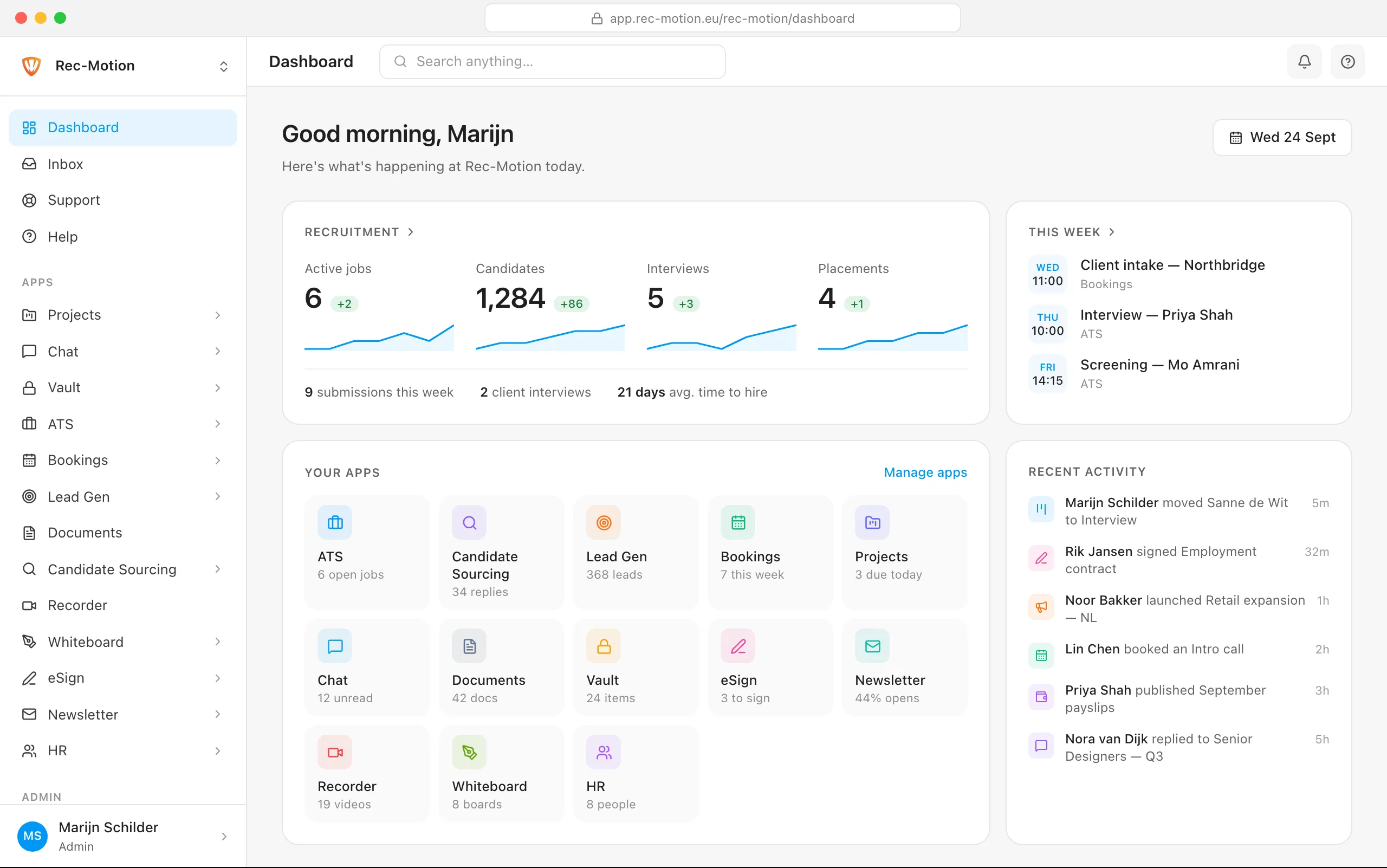
The Rec-Motion dashboard