Candidate Sourcing

From search to conversation, without the busywork.

Find candidates, enrich them, reach them on LinkedIn and email, and see every reply land straight in your pipeline.

Click around β€” this is the real layout

app.rec-motion.eu/rec-motion/candidate-sourcing/tables
Tables

Tables

Named candidate collections built from multiple sources.

Upload CSV New search
NamePeopleLast updatedCreated
Senior Product Designers β€” Amsterdam4822 Sept 202622 Sept 2026
Finance Leads β€” Randstad7015 Sept 202615 Sept 2026
Logistics Planners β€” NL3325 Aug 202625 Aug 2026
Store Managers β€” Utrecht2521 Jul 202621 Jul 2026

From search to shortlist

How sourcing works in Rec-Motion β€” step by step.

01 New search Β· Tables

Search and save candidates

Search by job title, country and city or region, and save the results to a table your team can share.

  • Search by job title, country and city or region
  • Save results to named tables
  • Upload candidates from a CSV
  • Candidates you already have are recognised

02 Enrichment

Enrich every profile

Fill profiles in with contact details and company information, so you know who you're reaching and how.

  • Contact details for email outreach
  • Company information on every profile
  • Re-enrich when details go stale

03 Campaigns

Reach them on LinkedIn and email

Build a sequence of invites, messages and follow-ups and let it run from your own accounts.

  • LinkedIn invites, messages and email in one sequence
  • Delays and follow-ups per step
  • Runs from your own connected accounts
  • Daily limits to protect your accounts

04 Inbox

Every reply in one inbox

LinkedIn and email replies arrive together. Answer straight away, without switching tools.

  • LinkedIn and email in one view
  • Reply right from Rec-Motion
  • See the full conversation per candidate

05 Push to ATS

On into your pipeline

Add candidates to a role's pipeline in one click. When someone accepts your invite or replies, they move on by themselves.

  • One click into a role's pipeline
  • Outreach rules move candidates automatically
  • Every step sits on the application timeline

Ready to find the right people faster?

Turn on Candidate Sourcing and start your first campaign.

Candidate Sourcing works with your ATS

Sourcing and recruiting in the same workspace β€” nothing to move across.

Candidate Sourcing ATS

Replies move your pipeline

The problem: Who accepted, who replied, which stage are they in? With separate tools you track it by hand.

How it works

  1. 1Add candidates from a table to a role's pipeline
  2. 2Start your LinkedIn and email campaign
  3. 3Set outreach rules per role: accepted or replied β†’ stage
  4. 4Candidates move forward automatically β€” never back

Every invite, reply and stage change is on the application timeline.

Candidate Sourcing Candidate Database

One candidate, one profile

The problem: The same person arrives via sourcing, an application and a CV β€” and ends up in your system three times.

How it works

  1. 1A sourced candidate is matched against your database
  2. 2Existing candidates are recognised instead of duplicated
  3. 3Enriched details land on the existing profile

One profile with every source and conversation.

One workspace. Nothing to copy across.

Turn on Candidate Sourcing and add the ATS whenever you like.

Candidate Sourcing: simple pricing, no surprises

Start small, turn apps on as you need them.

Basic

For one recruiter who wants to search precisely.

€149/ month, excl. VAT

  • Search and tables
  • 1 connected LinkedIn account
  • Email campaigns
  • Shared inbox
Get started
Recommended

Pro

For teams connecting sourcing to their pipeline.

€299/ month, excl. VAT

  • Everything in Basic
  • 3 connected LinkedIn accounts
  • Enrichment
  • Outreach rules into the ATS
  • CSV upload
Get started

Custom

For agencies with several teams and accounts.

On request

  • Unlimited accounts
  • Custom limits
  • Personal onboarding
Talk to us

Demo pricing β€” final prices to follow.Need several apps? See the bundles β†’

Secure from day one

You work with candidate and client personal data. We treat it with care.

Built in the Netherlands

Developed and supported by a Dutch team, with GDPR as the starting point.

Your data, isolated

Every workspace is fully separated. Nobody else sees your candidates or clients.

Roles and permissions per app

Decide per role who can see and do what, down to each app.

Everything logged

Sensitive actions are recorded, so you can always trace who did what.

Two-factor sign-in

Extra protection on every account with two-factor authentication.

Private file storage

CVs and contracts are never public β€” only reachable through temporary, secure links.

Case study

β€œA real client's story goes here.”

The challenge, how they use Rec-Motion and what it changed β€” in their own words.

Client name, role β€” company

β€”

Result 1

β€”

Result 2

β€”

Result 3

Placeholder. A real, approved client story goes here before launch.

Frequently asked questions

Which channels can I use?

LinkedIn (invites and messages) and email, in one sequence.

Are my LinkedIn accounts protected?

Yes. Campaigns run with daily limits per account, so you stay within safe bounds.

Do I need the ATS too?

No, but they work best together: replies then move candidates through your pipeline automatically.

Can I use my own candidate lists?

Yes. Upload a CSV and the candidates land in a table, ready to enrich and contact.

Rec-Motion

All your work, all your people, one workspace

Get started
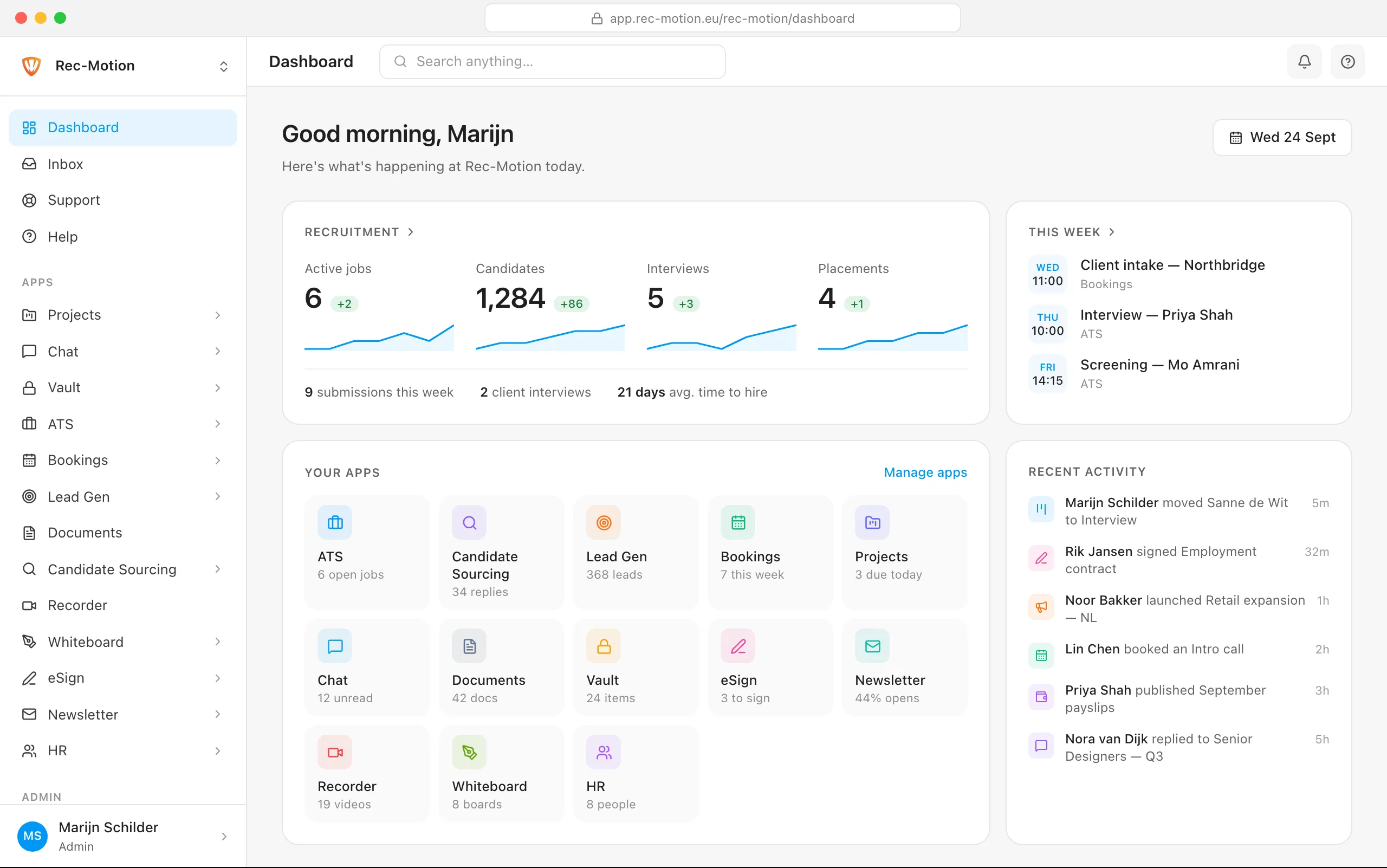
The Rec-Motion dashboard